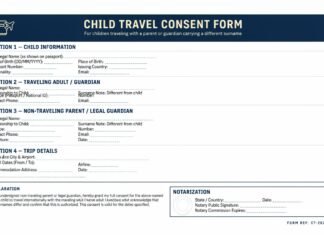

If you need to verify muvafakatname online, it is important to understand that verification is not only about checking whether a document file exists. A muvafakatname may look complete on the screen, yet still contain errors that create visa delays, legal questions, or travel problems. Online verification usually means reviewing the document carefully in digital form, checking whether the information is correct, confirming whether supporting details match official records, and ensuring the document is ready for use before it is printed, emailed, uploaded, or presented to an authority.
Many people assume that once a consent letter is typed and saved as a PDF or Word file, it is ready to use. In reality, digital review is one of the most important stages in the preparation process. If you verify muvafakatname online properly before submission, you reduce the chance of rejection, save time, and avoid the stress of correcting mistakes at the last moment.
Why It Is Important to Verify Muvafakatname Online
Consent documents are often used in visa applications, child travel, student travel, and temporary legal authorization. These are sensitive situations where names, passport numbers, dates, and signatures matter. A small digital mistake can create a serious real-world issue. That is why it is smart to verify muvafakatname online before using the document.
Online verification helps you catch spelling errors, mismatched travel dates, incomplete purpose statements, and missing attachments. It also gives you the chance to review whether the language is appropriate for the country or institution where the document will be used. In many cases, fixing a mistake before submission is simple. Fixing it after rejection is much harder.
If your consent document will be used in another language or another country, you should also review how to translate a Muvafakatname for international use so the verified version stays consistent across both original and translated copies.
What Online Verification Actually Means
When people say they want to verify muvafakatname online, they may mean different things. In practical use, it usually includes several checks done through a digital file, online submission system, or document workflow. These checks may include:
- Reviewing names and identification details
- Checking document format and structure
- Comparing dates with travel plans
- Confirming that translation matches the original
- Ensuring signatures or notary fields are in the correct place
- Making sure uploaded files are readable and complete
In other words, online verification is part technical review and part legal-quality review. It is not limited to one button or one website. It is a process of confirming that the document is accurate and usable.
Step 1: Check the Basic Identity Details
The first step when you verify muvafakatname online is to check all names and document numbers against official identification. This includes the full name of the person giving consent, the name of the person receiving or benefiting from the consent, passport numbers, national ID numbers, and dates of birth where relevant.
Names must match official records exactly. Even a small spelling difference can raise a question during review. Passport numbers should also be checked carefully digit by digit. If the document refers to a child, spouse, or guardian, relationship details should be clear and consistent with supporting papers.
Step 2: Review the Purpose Statement
A strong consent document always states why the consent is being given. When you verify muvafakatname online, read the purpose section carefully and ask a simple question: would a stranger immediately understand why this document exists?
The purpose should not be vague. It should clearly mention whether the document supports child travel, student travel, a visa application, a legal submission, or another defined matter. Ambiguous wording can make the document weaker because the authority may not understand its intended use. The more specific and accurate the purpose statement is, the stronger the document becomes.
Step 3: Confirm the Dates and Validity Period
Another essential step when you verify muvafakatname online is checking the issue date, travel dates, and validity period. Many people make the mistake of focusing on names while ignoring the timeline of the document. This can be a serious error, especially if the travel or application happens later than expected.
If the document contains a fixed date range, make sure it still covers the intended use. If the consent is tied to a particular trip, the travel dates in the muvafakatname should not conflict with flight plans, visa appointment dates, or supporting documents. A document that appears expired or unrelated to the actual travel period may not be accepted.
Step 4: Compare the Original and Translated Versions
If the document has been translated, this step is critical. When you verify muvafakatname online, compare the original and translated versions line by line. The translated copy should not change names, dates, purpose, destination, or validity period. The wording may differ slightly because of language structure, but the legal meaning must stay the same.
Translation mistakes are a hidden source of rejection because they are often discovered only by the receiving authority. That is why digital comparison before submission is so useful. It gives you a chance to fix inconsistencies before they become a problem.
Step 5: Review the File Format and Readability
Even a correct document can become unusable if the file quality is poor. When you verify muvafakatname online, check whether the uploaded or saved file is readable on mobile, desktop, and print view. Text should not be cut off. Signatures should not be blurry. Scans should not be tilted or dark. Page order should also be correct if multiple pages or attachments are included.
Authorities often review documents quickly. If the file is difficult to read, the officer may not spend extra time trying to understand it. A clean digital presentation increases trust and reduces friction in the review process.
Step 6: Confirm Whether the Document Needs Digital or Physical Follow-Up
Some applicants think that once they verify muvafakatname online, the process is complete. In reality, online review is often only one stage. A document may still need to be printed, signed, notarized, scanned again, or emailed in a specific format. That means your verification process should also check the next practical step.
If your document will be managed with digital tools after verification, it may help to review online tools for preparing a Muvafakatname so you can organize, edit, and store the file more effectively.
Step 7: Check for Missing Supporting Documents
A muvafakatname often works best when supported by related documents. When you verify muvafakatname online, review the document package as a whole. Depending on the case, you may need passport copies, birth certificates, marriage certificates, custody papers, invitation letters, or travel bookings.
The consent letter itself may be well prepared, but if the supporting documents are missing, the overall file may still look incomplete. Online verification should therefore include all related files, not just the main document.
How to Know If the Document Is Ready for Submission
The easiest way to decide whether your file is ready is to review it as if you were the officer receiving it for the first time. Ask yourself these questions:
- Are all names complete and correct?
- Do the dates make sense?
- Is the purpose specific and easy to understand?
- Do the original and translated versions match?
- Is the file readable and properly arranged?
- Are all related documents included?
If the answer to all of these is yes, then the verification process has probably been done well. If not, fix the issues before sending anything to an embassy, school, airline, or legal office.
Common Mistakes During Online Verification
Even careful applicants sometimes miss important details. Common mistakes include:
- Checking only the first page and ignoring attachments
- Reviewing the document visually without comparing it to passports
- Ignoring translation mismatches
- Uploading low-quality scans
- Assuming a saved file is the same as a properly verified file
These mistakes are avoidable if you slow down and follow a structured review process. Verification should be deliberate, not rushed.
Where FAQs Can Help During Verification
Sometimes applicants are unsure whether a particular issue is actually a problem. In those cases, a question-and-answer format can be very helpful. If you are stuck on practical concerns such as signatures, format, dates, or use cases, it may help to review common Muvafakatname questions and answers before final submission.
Helpful Guidance Before Digital Submission
Some applicants also review the official U.S. travel documentation guidance to better understand how travel-related documents are checked before international use. For broader background on digital document review, some readers also consult general information about digital documents to understand why file quality and content consistency matter in online review processes.
Final Summary
To verify muvafakatname online properly, you need more than a quick glance at the file. You must review names, dates, purpose, translation, readability, and supporting documents as one complete package. A carefully verified document is easier to trust, easier to submit, and much less likely to create delays.
If you build a habit of checking every part of the document before sending or printing it, your muvafakatname will be far stronger for visa, travel, and legal use. Careful online verification is one of the simplest ways to protect yourself from avoidable document problems.